
DeepSwap or Reface for Photo Face Swap: A Persona-by-Persona Verdict
Short answer. If you want clean, professional photo output, group shots with several faces in one frame, or results you can use in paid client work, DeepSwap is the better pick. If you live on your phone, make memes, and want the cheapest entry into face swapping, Reface wins. Neither free tier is usable on its own, because both stamp watermarks on every export.
One caveat up front. No independent reviewer has published a side-by-side photo test that runs the exact same source image through both tools. Every verdict below is grounded in documented features, vendor claims that we attribute to the source, and aggregated user reports. Where a number is a marketing claim rather than a verified result, we say so.
DeepSwap vs Reface: Quick Verdict
Three lines cover most readers.
- Professional output, multi-face photos, commercial projects: DeepSwap.
- Mobile-first casual use, meme templates, fastest time-to-first-swap: Reface.
- A free, watermark-free tier: neither. Both require a paid plan for a clean export.
If your core need is a clean portrait you can hand to a client, skip to the pricing and commercial use sections. If you just want your face on a dancing clip before lunch, Reface is already the answer.
What Each Tool Actually Does (and Where They Differ)
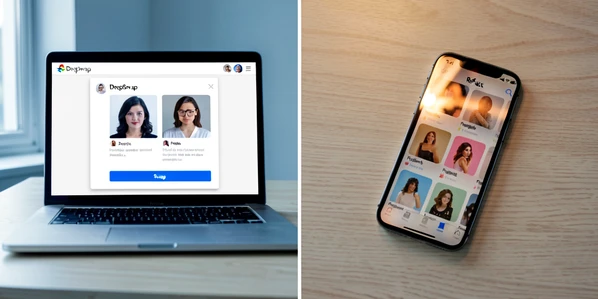
These are not equivalent products. DeepSwap is a web-based face swap suite aimed at realistic output. Reface is a mobile-native creative app built around templates, filters, and fast social content.
DeepSwap runs in a browser. According to aijourn.com, it handles photos, videos, GIFs, and VR content, uses proprietary models branded shape keeper and shape transformer, and supports up to six faces simultaneously in a single image. Its multi-engine approach, documented by wavespeed.ai, runs several AI models at once and returns multiple output versions so you can pick the best one.
Reface sits on your phone. It ships as an iOS and Android app optimized for social video and meme creation, per aijourn.com. Face swap is one feature among many. You also get style transfer, AI avatar generation, photo animation, virtual outfit try-on, and a stream of trending templates, documented by domore.ai. The core loop is pick a template, upload a selfie, export.
That identity difference shapes everything else in this comparison. DeepSwap is a desktop-first production tool. Reface is a mobile-first creation toy with serious stitching chops.
Photo Face Swap Quality: Output Realism and Identity Preservation
Quality is the reason you are reading this, so let us be honest about what we can and cannot claim.
DeepSwap markets a 95% face swap similarity rate versus roughly 75% for open-source alternatives, according to aijourn.com. Treat that as a vendor claim, not an independently verified result. The underlying tech, those proprietary shape keeper and shape transformer models, is designed to hold identity while re-rendering the face onto the target. In practice, users report strong realism on clean, well-lit portraits.
Where it breaks is equally documented. DeepSwap degrades on motion-heavy, low-quality, or poorly lit source photos, per aijourn.com. The mechanical reason is straightforward. Landmark detection needs visible eye, nose, and jaw references to align the source face to the target. Dim or blurry input produces weak landmarks, which shifts the alignment and smears the blending seam around the hairline and jaw. Harsh side lighting is a second common failure mode because the blending step tries to match skin tone globally, so a face lit from a different angle than the target body reads as a pasted-on oval.
Reface, by contrast, is praised for precise stitching on static swaps, per aijourn.com. That fits its template-driven design. When the target clip or image is curated, the app knows the lighting and head pose in advance, so the blending algorithm has fewer variables to fight. On casual portraits it produces convincingly natural edges around the hairline. It is less forgiving when the target pose is unusual or lighting is inconsistent, which is why it leans on its template library rather than asking you for an arbitrary background photo.
DeepSwap's multi-engine output is a quiet advantage. Getting several variants back per swap means you pick the winner instead of rerunning the same job. For a portrait headed to a paying client, that is real value. For a meme, it is overkill.
No source provides a direct side-by-side photo face swap test with sample output images for DeepSwap vs Reface specifically. Verdicts in this article are based on documented features and aggregated user reports.
Multi-Face Photo Support: Group Photos and Crowd Shots
If you need to swap more than one face in the same photo, DeepSwap is the obvious choice. It supports up to six faces simultaneously in a single image, per aijourn.com, and lets you target each one. Reface supports multi-face clip content but with less granular control over which face goes where.
Make it concrete. A freelance marketer has a four-person team photo from a client and needs every face swapped to the new hires before the campaign launches. On DeepSwap, that is a single job with four targets inside one image. On Reface, you would be fighting the template abstraction, because the product is built around putting your face into a pre-built clip, not around editing an arbitrary group photo you brought with you.
For family portraits, team shots, wedding groups, or anything with more than one face that matters, DeepSwap is the only reasonable option of the two.
Pricing and Cost Per Swap: What You Actually Pay
This is where opacity bites, especially on DeepSwap.
DeepSwap's free tier exists but ships watermarked output and limited functionality. Paid tiers, per magichour.ai, start with a Pro introductory month at $9.99 for 100 credits and a watermark-free HD export. After that, Pro standard runs $19.99 per month for 300 credits with priority rendering and video swaps up to 30 minutes. The annual plan, per contentmavericks.com, lands at $49.99 for the first year and then $99.99 per year, a 58% discount versus billing monthly. Still image uploads are unlimited on paid plans, while video and GIF uploads carry monthly caps, per aijourn.com.
Here is the catch. DeepSwap does not publicly disclose how many credits one photo swap costs. You cannot map 300 credits per month to a number of portrait swaps before committing. One YouTube commenter summed up the frustration well: the 600-point setup feels confusing if you only want to use the service for a single month, and there is no obvious information on how to cancel. Treat the credit system as a buyer risk, verify the current policy on the billing page before you subscribe, and do not assume 300 credits equals 300 swaps.
Reface starts at $3.99 per month according to contentmavericks.com, which also lists a $6.99-per-week plan. That discrepancy is not a typo in this article. It is an actual inconsistency between documented prices. Verify the current number on Reface's live pricing page before paying, because a weekly plan billed four times a month is materially more expensive than a stated monthly rate.
For a casual user doing a handful of swaps, Reface's lower entry price is more forgiving. For a pro running many swaps a month, DeepSwap's annual plan quickly undercuts weekly Reface billing, assuming you actually need DeepSwap's output quality.
Free Tier Reality Check: What You Get Without Paying
If your plan is to use a face swap app for free, both options will disappoint you in the same place: the watermark.
- DeepSwap free tier: watermarked output, limited uploads, per magichour.ai.
- Reface free plan: watermarks and ads on exports, per aijourn.com.
- Neither tool offers a genuinely free, watermark-free photo swap path.
That matters because a watermark kills commercial use and looks amateurish on social. Community frustration here is loud and consistent. Users keep running into marketing that says free, then discover the output is not usable without a subscription. Plan for a paid tier from day one, or pick a different hobby.
Mobile vs. Web: Which Platform Fits Your Workflow
Where do you actually want to do the work?
Reface has a dedicated iOS and Android app designed for on-the-go use, per aijourn.com. That is the product. You pick a trending template, point the camera at your face, and share the result to TikTok or Instagram in under two minutes. If you are on a phone, it is the default winner.
DeepSwap is primarily web-based and does not publish a dedicated mobile app in the sources reviewed. It runs in your browser, so a phone user can technically load the site, but the product is built for a desktop workflow: two uploads, multi-engine output review, variant selection. That is slow on a touch screen.
Two quick scenarios make the platform choice obvious. Swapping your face into a meme template from the sofa in 60 seconds? Reface. Producing a watermark-free portrait for a client on a Monday deadline? DeepSwap, on a real computer.
Ease of Use: Time-to-First-Swap for Beginners
Reface is built for non-technical users. The interface is polished, the template library removes every choice except which clip and which face, and the first successful swap tends to happen inside a few minutes. For someone who has never edited a photo before, that is the shortest path to seeing themselves in a funny clip.
DeepSwap is more powerful and more to learn. You upload both a source face and a target photo, pick swap options, and review a set of output variants. The real-time preview helps a lot. The multi-engine output, while great for quality, adds one more decision for a beginner who just wants a single result. If you have used any desktop editor before, none of this will scare you. If you have not, Reface gets you to first output faster.
Privacy and Data Handling: What Happens to Your Face Photos
Uploading a face, yours or anyone else's, is not neutral. Read this section before you click upload.
DeepSwap discloses that it retains uploaded content for seven days on its servers, per magichour.ai. That is a clear number you can reason about. With a reported 150 million user base also cited by magichour.ai, that retention window is the policy governing a very large volume of face data. Whether seven days is acceptable depends on your use case and your subject's consent.
Reface's position is harder to evaluate. No source reviewed here details Reface's data retention or privacy policy for uploaded face images, per domore.ai. That is a gap, not a green light. Product Hunt's categories page notes the general rule: privacy and deletion policies vary by app, and users should check each app's privacy policy directly. For Reface, that check is mandatory, because the public marketing does not substitute for a retention commitment.
Context for privacy-minded readers. Reface was involved in a likeness-without-consent dispute involving Neil Young, who alleged his image was used to promote the app without permission. That is not a data-retention issue, but it is relevant if you care about how the platform treats identities.
Practical rule. Before you upload, open each platform's current privacy policy and read the retention section. If a friend's face is going on the clip, ask them first.
Commercial Use Rights: Can You Use Outputs Professionally
DeepSwap's paid plans are positioned for professional and commercial output. Watermark-free HD export, unlimited still image uploads, and 4K video capability all point at paid work. Verify the current terms of service on the DeepSwap site before you ship deliverables, because commercial use language shifts and the ToS is the document that binds you.
Reface is described as less suitable for professional or commercial projects, per aijourn.com. That fits the template-driven model, where outputs are typically social-first and creative rather than client-ready. If you are a freelancer invoicing a client, DeepSwap is the safer default. Neither tool offers API access for workflow automation, so batch or programmatic use is off the table on both.
Head-to-Head Summary Table
| Criterion | Winner | Why |
|---|---|---|
| Photo output realism and identity preservation | DeepSwap | Vendor-claimed 95% similarity via shape keeper and shape transformer models, strong on clean portraits. No independent side-by-side test exists. |
| Multi-face support in group photos | DeepSwap | Up to 6 faces simultaneously in a single image, per aijourn.com. |
| Pricing entry point for casual users | Reface | Lists $3.99 per month, lower than DeepSwap's $9.99 intro month, though a $6.99 per week plan is also listed. |
| Free tier value | Tie (both poor) | Both add watermarks on free plans, unusable for commercial content. |
| Mobile platform availability | Reface | Dedicated iOS and Android app optimized for mobile. DeepSwap is primarily web-based. |
| Ease of use for beginners | Reface | Template library and polished interface lower the barrier to a first swap. |
| Privacy and data retention transparency | DeepSwap (marginally) | Discloses a 7-day retention window. Reface's policy for uploaded face images is not publicly documented in sources reviewed. |
| Commercial use suitability | DeepSwap | Positioned for professional output. Reface described as less suitable for commercial work. Verify current ToS on both. |
One more reminder. No independent side-by-side photo test exists for this specific pairing, so the quality winner above is based on documented features, vendor claims, and user reports, not a controlled A/B with identical inputs.
Which Should You Choose?
Pick by who you are and what you are shipping.
Casual mobile user
Choose Reface. You want fast meme creation, social media face swap on iOS or Android, and the lowest entry price. A polished template library will get you to a shareable clip in minutes. Verify the live pricing before subscribing because of the monthly versus weekly discrepancy.
Content creator or freelancer
Choose DeepSwap. You need watermark-free output, multi-face support for group photos, 4K resolution when required, and positioning suitable for commercial work. The annual plan at $49.99 for the first year is the best value if your volume justifies it, and the multi-engine output gives you variants to pick from on client shots. Budget for the credit system's opacity, and verify commercial use rights in the current ToS.
Privacy-conscious user
Read both privacy policies before you upload. DeepSwap discloses a 7-day retention window, which is imperfect but knowable. Reface does not publicly document its retention for uploaded face images in sources reviewed, which is a transparency gap worth weighing against the tool's convenience. Get consent from anyone whose face you upload, regardless of which tool you pick.
If you expected a free ride
There isn't one. Both free tiers watermark their output. Neither is usable on its own for professional or polished social work. Plan for a paid tier, or accept the watermark as the cost of zero dollars.